📲 Sending Interactive Messages#
Interactive messages let you present structured options to your users — such as selection lists or quick-reply buttons — instead of relying on them to type plain text.
Note
These examples focus on sending interactive messages. To learn how to listen for and process the user’s choice when they tap a button or select an option, check out the Handlers Overview and Filters Overview guides.
Send a message with selection keyboard#
You can use selection keyboards only with text messages.
The maximum number of section rows is 10.
Color selection message#
 1from pywa import WhatsApp, types
 2
 3wa = WhatsApp(phone_id='972123456789', token='xxxxx')
 4recipient = '972987654321'
 5
 6wa.send_message(
 7    to=recipient,
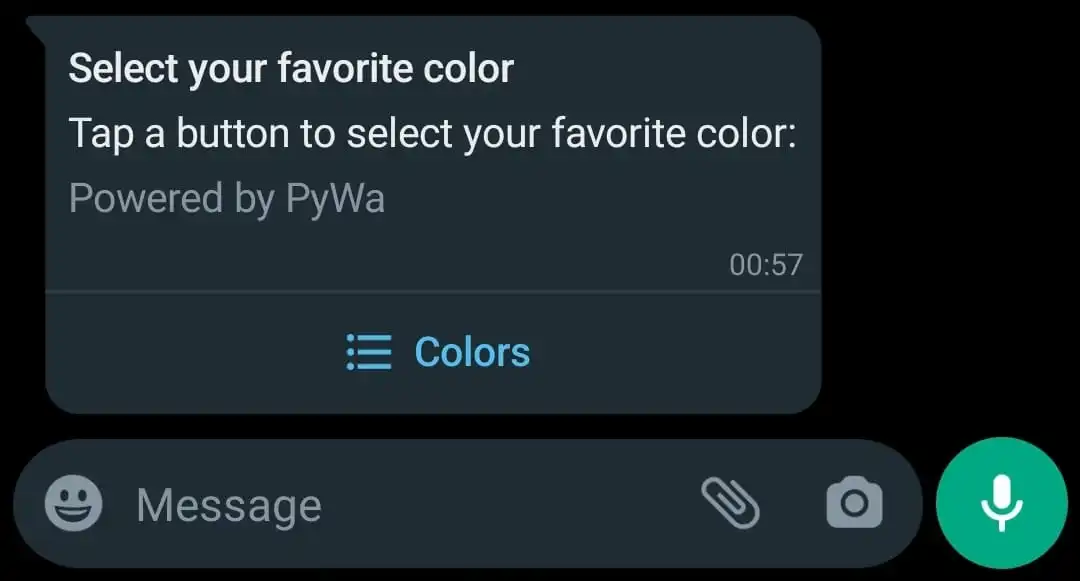
 8    header='Select your favorite color',
 9    text='Tap a button to select your favorite color:',
10    footer='⚡ Powered by PyWa',
11    buttons=types.SectionList(
12        button_title='Colors',
13        sections=[
14            types.Section(
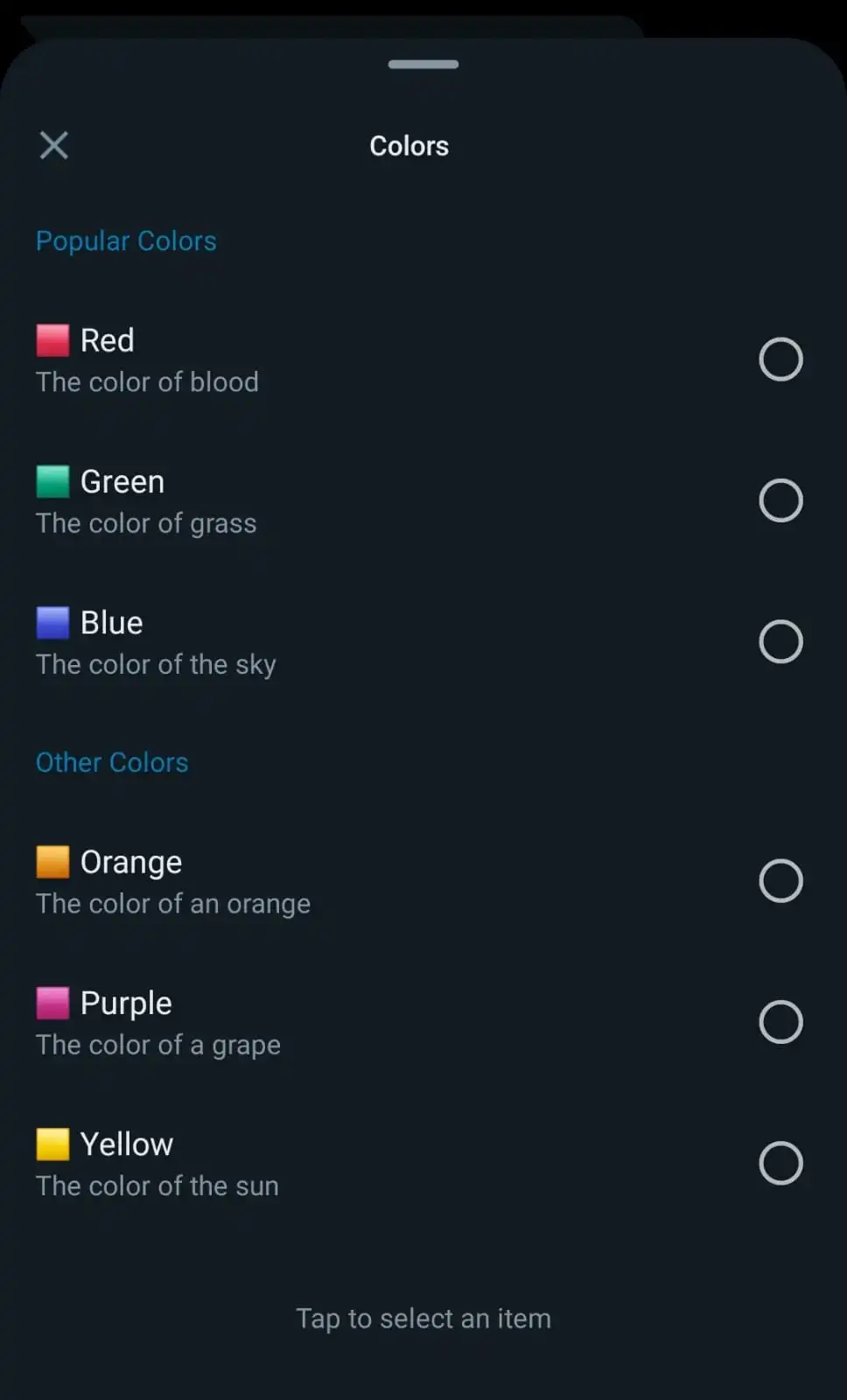
15                title='Popular Colors',
16                rows=[
17                    types.SectionRow(
18                        title='🟥 Red',
19                        callback_data='color:red',
20                        description='The color of blood',
21                    ),
22                    types.SectionRow(
23                        title='🟩 Green',
24                        callback_data='color:green',
25                        description='The color of grass',
26                    ),
27                    types.SectionRow(
28                        title='🟦 Blue',
29                        callback_data='color:blue',
30                        description='The color of the sky',
31                    )
32                ],
33            ),
34            types.Section(
35                title='Other Colors',
36                rows=[
37                    types.SectionRow(
38                        title='🟧 Orange',
39                        callback_data='color:orange',
40                        description='The color of an orange',
41                    ),
42                    types.SectionRow(
43                        title='🟪 Purple',
44                        callback_data='color:purple',
45                        description='The color of a grape',
46                    ),
47                    types.SectionRow(
48                        title='🟨 Yellow',
49                        callback_data='color:yellow',
50                        description='The color of the sun',
51                    )
52                ]
53            )
54        ]
55    )
56)
How it looks on WhatsApp:
Send a message with buttons keyboard#
You can attach up to 3 buttons to a message.
YouTube video info message#
 1from pywa import WhatsApp, types
 2
 3wa = WhatsApp(phone_id='972123456789', token='xxxxx')
 4
 5recipient = '972987654321'
 6requested_vid_id = 'T9RRe4ZsSGw'
 7
 8wa.send_image(
 9    to=recipient,
10    image=f'https://i.ytimg.com/vi/{requested_vid_id}/hqdefault.jpg',
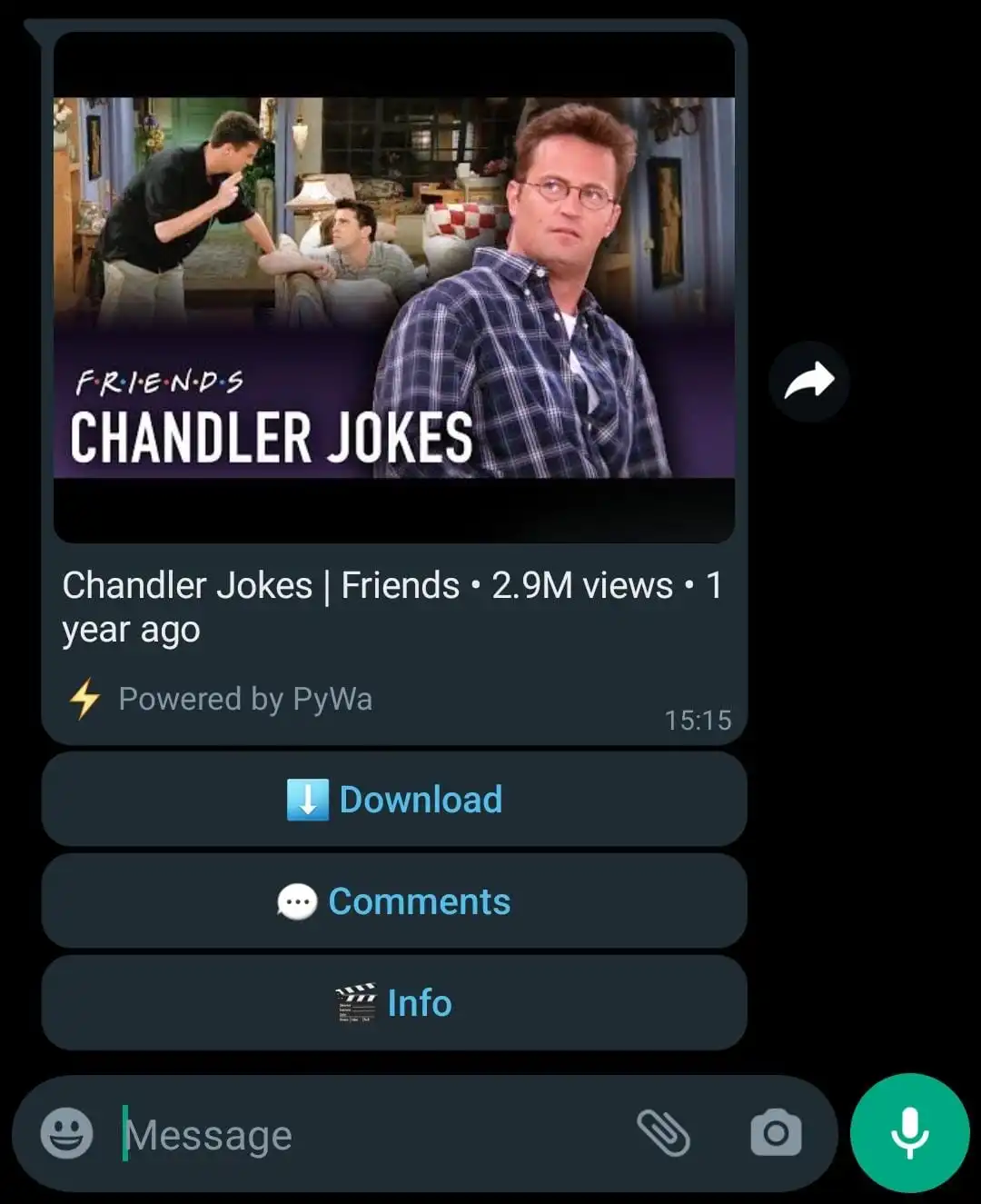
11    caption='Chandler Jokes | Friends • 2.9M views • 1 year ago',
12    footer='⚡ Powered by PyWa',
13    buttons=[
14        types.Button(title='⬇️ Download', callback_data=f'dl:{requested_vid_id}'),
15        types.Button(title='💬 Comments', callback_data=f'cmnts:{requested_vid_id}'),
16        types.Button(title='🎬 Info', callback_data=f'info:{requested_vid_id}'),
17    ]
18)
How it looks on WhatsApp:
Interactive buttons view#