
💬 Updates#
In WhatsApp Cloud API, updates are sent to your webhook URL. PyWa currently supports the following fields:
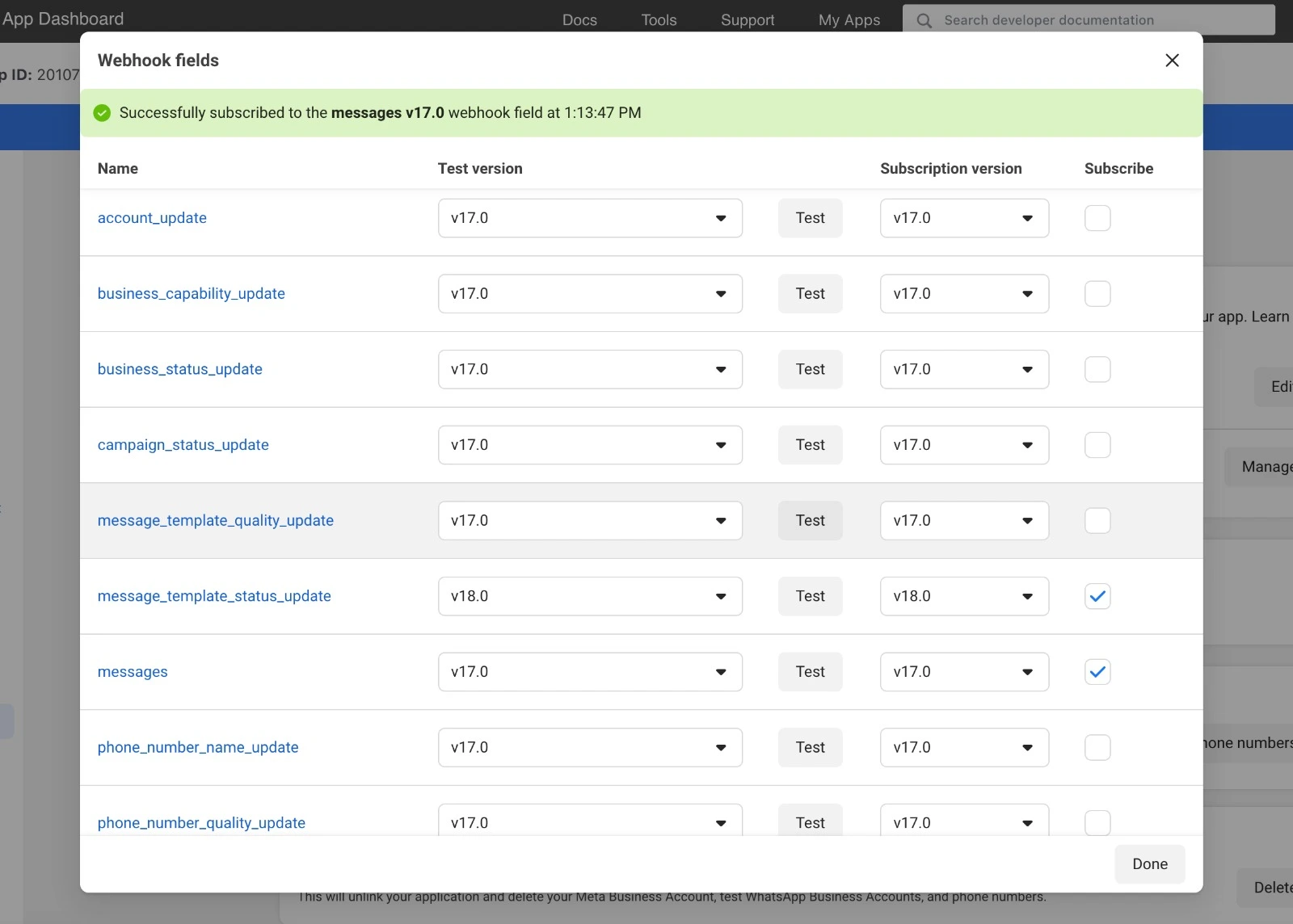
messages(all user related updates)message_template_status_update(template got approved, rejected, etc.)
Important
You must subscribe to those fields in your webhook settings. Otherwise, you will not receive any updates.
To enable it, go to your app dashboard, click on the Webhooks tab (Or the Configuration tab > Webhook fields).
Then, subscribe to the fields you want to receive.
Tip
If you do want to handle other types of updates (fields), you can use the RawUpdateHandler
(or the on_raw_update() decorator) to handle them.
The supported fields are automatically handled by PyWa and converted to the following types:
To handle updates see Handlers
User related updates:
Type |
Description |
|---|---|
A message sent by a user (text, media, order, location, etc.) |
|
A callback button pressed by a user |
|
A callback selection chosen by a user |
|
A message status update (e.g. delivered, seen, etc.) |
Account related updates:
Type |
Description |
|---|---|
A template status update (e.g. approved, rejected, etc.) |
All user-related-updates have common methods:
Method |
Description |
|---|---|
Reply to the update with a text message |
|
Reply to the update with an image message |
|
Reply to the update with a video message |
|
Reply to the update with an audio message |
|
Reply to the update with a document message |
|
Reply to the update with a location message |
|
Reply to the update with a contact message |
|
Reply to the update with a sticker message |
|
Reply to the update with a template message |
|
Reply to the update with a catalog message |
|
Reply to the update with a product message |
|
Reply to the update with a list of product messages |
|
React to the update with a emoji |
|
Unreact to the update |
|
Mark the update as read |
- Message
- Callback Button
- Callback Selection
- Message Status
- Template Status
- Common methods
BaseUserUpdate.senderBaseUserUpdate.message_id_to_replyBaseUserUpdate.reply_text()BaseUserUpdate.reply_image()BaseUserUpdate.reply_video()BaseUserUpdate.reply_audio()BaseUserUpdate.reply_document()BaseUserUpdate.reply_location()BaseUserUpdate.reply_contact()BaseUserUpdate.reply_sticker()BaseUserUpdate.reply_template()BaseUserUpdate.reply_catalog()BaseUserUpdate.reply_product()BaseUserUpdate.reply_products()BaseUserUpdate.react()BaseUserUpdate.unreact()BaseUserUpdate.mark_as_read()